Managing Meal Prep Orders and Catering Invoices? Here's a Smarter Way
Running a successful meal prep or catering business requires much more than preparing quality food. Behind every order is a complex process that includes managing customer information, coordinating kitchen production, scheduling deliveries, tracking payments, and keeping staff aligned. As your business grows, these daily tasks become more challenging, especially if you're relying on spreadsheets, paper invoices, and multiple disconnected systems.
Many food businesses begin with simple tools because they're affordable and familiar. However, what works for 20 customers often becomes difficult to manage when you're serving hundreds of weekly meal prep clients, handling catering events, or expanding into recurring delivery programs.

This is where meal prep software and catering invoicing software become valuable. Rather than simply replacing paperwork, they help businesses organize operations, reduce administrative work, and improve the customer experience from order placement to final payment.
Why Growing Food Businesses Become Harder to Manage
Growth is a positive sign, but it also creates new operational challenges.
A meal prep company that starts by serving local customers may eventually manage:
Weekly meal subscriptions
Corporate meal programs
Catering events
Custom dietary requests
Multiple delivery routes
Kitchen production schedules
Customer invoices
Employee schedules
Each new order adds more information that needs to be tracked accurately.
Without organized systems, businesses often spend more time managing operations than serving customers.
The Hidden Cost of Manual Operations
Many owners don't realize how much manual administration affects profitability until their business starts growing.
Administrative Overload
As order volume increases, teams spend more time:
Updating spreadsheets
Creating invoices
Tracking customer information
Scheduling deliveries
Managing recurring orders
Following up on payments
These repetitive tasks reduce productivity and limit time available for business growth.
Customer Experience Problems
Customers expect accuracy and consistency.
Manual processes often lead to:
Incorrect meal modifications
Missed delivery instructions
Billing delays
Slow communication
Order mistakes
These issues can reduce customer satisfaction and retention.
Profitability Challenges
Disorganized operations increase costs through:
Extra labor hours
Food waste
Delivery inefficiencies
Payroll errors
Administrative expenses
Improving workflows helps businesses operate more efficiently while protecting profit margins.
Why Meal Prep Software Helps Businesses Scale
Growing businesses need more than order tracking—they need operational visibility.
This is why many businesses adopt meal prep software as they expand.
Organized Customer Orders
Businesses often receive orders from multiple sources, including websites, recurring subscriptions, phone calls, and corporate clients.
Centralizing customer information reduces confusion and improves accuracy.
Better Meal Plan Management
Meal prep companies frequently manage:
Weekly subscriptions
Custom nutrition plans
Dietary restrictions
Portion preferences
Delivery schedules
Managing these manually becomes increasingly difficult as customer numbers grow.
Improved Kitchen Coordination
Kitchen teams perform better when production schedules are organized.
Clear workflows help reduce:
Missed meal modifications
Production delays
Communication gaps
Preparation errors
This improves efficiency while maintaining consistency.
Less Administrative Work
When repetitive tasks become automated, owners can spend more time:
Developing new menus
Serving customers
Marketing the business
Building long-term client relationships
Why Catering Invoicing Software Improves Cash Flow
Preparing meals is only part of running a profitable food business.
Efficient billing is equally important.
This is where catering invoicing software helps businesses improve financial organization.
Faster Invoice Creation
Instead of manually preparing invoices for every event or catering order, businesses can streamline billing and reduce administrative effort.
Better Payment Tracking
Growing businesses need visibility into:
Deposits
Outstanding invoices
Partial payments
Completed transactions
This helps improve cash flow while reducing missed follow-ups.
Fewer Billing Errors
Manual calculations increase the likelihood of:
Incorrect totals
Missing services
Duplicate invoices
Forgotten deposits
Accurate billing creates a better customer experience while protecting revenue.
Professional Customer Communication
Timely invoices with clear payment information improve trust and help customers understand exactly what they're paying for.
The Connected Systems Modern Food Businesses Need
Orders and invoices represent only one part of the business.
Successful food businesses benefit from connected operational systems.
Catering and Meal Prep Management
Managing customer information, orders, recurring meal plans, and event details from one place helps reduce duplicate work and improve communication.
Point-of-Sale (POS)
Integrated POS functionality supports:
Customer payments
Sales reporting
Transaction history
Financial visibility
This gives businesses a clearer understanding of daily performance.
Kitchen Information Display System (KIDS)
Kitchen communication directly affects efficiency.
Digital kitchen displays help teams:
View orders in real time
Improve preparation accuracy
Reduce communication mistakes
Organize production schedules
Employee Scheduling, Timesheets, and Payroll
Managing employees becomes increasingly complex as businesses grow.
Integrated workforce tools simplify:
Scheduling
Time tracking
Payroll
Labor reporting
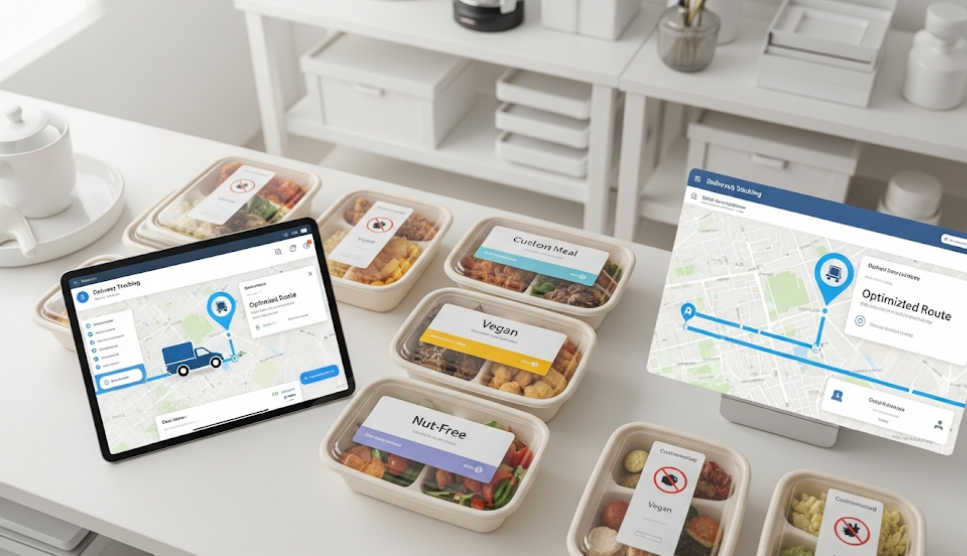
Delivery Route Optimization
Reliable delivery is critical for meal prep businesses.
Route optimization improves:
Driver productivity
Delivery planning
Fuel efficiency
Customer satisfaction
Signs Your Current Process Is Holding You Back
Many businesses continue using familiar workflows long after they've become inefficient.
You may need better systems if:
Customer information is spread across multiple platforms.
Creating invoices takes too much time.
Staff frequently ask for order updates.
Managers spend evenings handling paperwork.
Delivery coordination becomes stressful.
Kitchen teams struggle during busy production periods.
Administrative work limits growth.
Recognizing these challenges early helps businesses scale more effectively.
Choosing Software That Supports Growth
Not every platform is designed to support growing food businesses.
When evaluating software, prioritize solutions that help you:
Reduce Administrative Work
Automation should eliminate repetitive tasks while improving efficiency.
Improve Communication
Managers, kitchen staff, drivers, and office teams should all have access to accurate information.
Connect Business Operations
Orders, invoices, staffing, kitchen production, POS, and deliveries should work together instead of operating separately.
Increase Visibility
Managers need access to operational and financial data to make informed decisions.
Scale With Business Growth
Choose systems that continue supporting your business as order volume increases.
Meal Prep Software Comparison: What Should Businesses Look For?

Choosing software can feel overwhelming because many platforms promise similar benefits. Instead of focusing only on feature lists, evaluate how well the software supports your daily operations and future growth.
Order Management
The right solution should make it easy to:
Manage recurring meal subscriptions
Track customer orders
Handle order changes
Organize customer information
Financial Management
Look for software that helps with:
Invoice generation
Payment tracking
Sales reporting
Financial visibility
Kitchen Operations
Efficient kitchen management depends on:
Production scheduling
Digital kitchen workflows
Order visibility
Reduced preparation errors
Workforce Management
As your team grows, software should support:
Employee scheduling
Timesheets
Payroll
Labor reporting
Delivery Management
Reliable delivery operations require:
Route optimization
Driver coordination
Delivery scheduling
Customer communication
Scalability
Perhaps the most important factor is choosing software that can grow with your business. A solution that supports additional locations, higher order volumes, and more employees can help prevent costly operational changes later.
How Meal Delivery Businesses Scale Operations
Successful meal delivery businesses don't grow simply by preparing more meals. They grow by improving the systems behind their operations.
Standardize Daily Workflows
Creating consistent processes for order management, production, deliveries, and customer communication helps reduce mistakes and improve efficiency.
Centralize Business Information
Storing customer records, meal plans, invoices, and schedules in one place makes information easier to access and reduces duplicate work.
Improve Kitchen Efficiency
Organized production schedules and digital kitchen communication help teams prepare meals accurately while keeping up with demand.
Optimize Delivery Operations
As delivery volumes increase, efficient route planning becomes essential. Better coordination improves on-time deliveries, reduces fuel costs, and enhances the customer experience.
Manage Employees More Effectively
Growing businesses benefit from clear employee schedules, accurate timesheets, and streamlined payroll processes that reduce administrative work.
Connect Every Part of the Business
The most efficient meal delivery businesses connect customer orders, kitchen production, invoicing, staffing, POS, and deliveries into one operational workflow. This improves visibility and makes scaling much more manageable.
The Future of Food Business Operations
Technology continues to transform how meal prep and catering businesses operate.
Several trends are shaping the industry.
AI-Based Demand Forecasting
Businesses are beginning to use forecasting tools to better predict customer demand and production needs.
Real-Time Operational Visibility
Live dashboards help managers monitor business performance and daily operations more effectively.
Mobile Workforce Management
Schedules, updates, and communication are increasingly managed from mobile devices.
Connected Business Platforms
Businesses are moving away from disconnected tools and toward integrated operational systems that simplify daily management.
Frequently Asked Questions
What is meal prep software?
Meal prep software helps businesses manage customer orders, recurring meal plans, kitchen production, deliveries, and daily operations from a centralized platform.
How does catering invoicing software improve cash flow?
It streamlines invoice creation, tracks payments, monitors outstanding balances, and helps businesses bill customers more efficiently.
Why should meal prep businesses use software?
Software helps reduce manual work, improve kitchen coordination, organize customer information, and support business growth.
What should businesses look for in meal prep software?
Look for solutions that support order management, kitchen workflows, invoicing, POS, employee scheduling, payroll, and delivery management.
Can software reduce food waste?
Better production planning and organized order management can help businesses prepare more accurately and minimize unnecessary waste.
What is a Kitchen Information Display System (KIDS)?
A KIDS is a digital display that provides kitchen staff with real-time order information, helping improve communication and preparation accuracy.
Is one connected platform better than multiple software tools?
For many growing businesses, an integrated platform improves visibility, reduces duplicate work, and keeps operations running more efficiently.
When should a meal prep business upgrade from spreadsheets?
If administrative work is consuming too much time, orders are becoming difficult to manage, or growth is creating operational challenges, it's a good time to move to a more connected system.
Conclusion
Growing a meal prep or catering business involves far more than preparing excellent food. As customer demand increases, businesses need organized systems that help manage orders, invoices, kitchen production, staffing, and deliveries without creating additional administrative work.
Meal prep software helps businesses organize recurring orders, streamline kitchen operations, and improve efficiency, while catering invoicing software simplifies billing, strengthens cash flow, and reduces manual administrative tasks.
Platforms like Sprwt bring together Meal Prep Software, Catering Management Software, POS functionality, Kitchen Information Display Systems (KIDS), HR tools for scheduling, timesheets, and payroll, along with Delivery Route Optimization into one connected operational platform. By centralizing these critical functions, food businesses can improve team collaboration, deliver a better customer experience, reduce operational complexity, and scale with confidence.


Comments
Post a Comment