Catering Invoicing Software: What Growing Caterers Should Know
Running a catering business involves much more than preparing great food. Every event requires proposals, orders, invoices, payments, kitchen preparation, employee coordination, fulfillment, and sometimes delivery.
When a catering company is small, spreadsheets, email, PDFs, and separate payment tools may be manageable. But as bookings increase, these manual processes can quickly become difficult to maintain.

A customer may change the guest count, add menu items, or request another service after receiving the original quote. Your team then needs to update the proposal, invoice, kitchen information, and event details.
This is where catering invoicing software can help. However, growing caterers should look beyond invoicing alone. The right catering business software should help connect financial tasks with the operational work required to successfully fulfill an event.
Why Manual Catering Invoicing Becomes a Problem
Manual invoicing may work when you manage a few events each month. As bookings grow, however, repetitive administrative tasks can take valuable time away from sales and operations.
Recreating Invoices
Creating every invoice from scratch means repeatedly entering customer details, event dates, menu items, quantities, and prices.
This creates unnecessary work and increases the possibility of mistakes.
Managing Order Changes
Catering orders frequently change.
A customer may increase the guest count, add appetizers, remove an item, or change delivery requirements.
If proposals and invoices are maintained separately, every change needs to be updated manually.
Tracking Payments
Caterers often need to manage deposits, partial payments, and outstanding balances.
Without an organized system, employees may have to search through spreadsheets and emails to determine which events are fully paid and which still have balances due.
Keeping Event Information Organized
An invoice is connected to an actual event. The kitchen, event manager, employees, and delivery team may all need access to the latest information.
When those details are scattered across different tools, communication becomes harder.
What Is Catering Invoicing Software?
Catering invoicing software helps businesses create, send, manage, and track invoices associated with catering orders and events.
Depending on the platform, it can also connect invoicing with proposals, payments, customer information, and event workflows.
This is important because catering invoices can involve much more than a simple product purchase. They may include:
Guest counts
Menu selections
Service charges
Delivery
Deposits
Additional services
Event dates
Order changes
The more complicated the event, the more valuable an organized invoicing process becomes.
What Should Catering Invoicing Software Include?
Growing caterers should evaluate software based on the problems it solves rather than simply counting features.
Accurate Invoice Creation
The system should make it easy to create professional invoices without repeatedly rebuilding documents.
Payment Management
Businesses should be able to clearly understand deposits, payments, and outstanding balances.
Proposal Integration
The transition from an approved proposal to an invoice should require as little duplicate data entry as possible.
Customer Information
Customer and event information should be organized so authorized team members can find what they need quickly.
Event Management
The billing process should connect logically with the event itself rather than existing as an isolated accounting task.
Why Catering Business Software Goes Beyond Invoicing
Invoicing is only one stage of a catering operation.
A typical workflow looks like:
Inquiry → Proposal → Order → Invoice → Payment → Event → Kitchen → Staffing → Fulfillment → Delivery
If you automate only invoicing, your team may still manage the rest through spreadsheets, email, and separate software.
This is why growing businesses should consider catering business software that can support more of the operational workflow.
Catering Order Management
Centralized order information helps teams understand exactly what each customer has purchased.
Kitchen and Production Workflows
The kitchen needs accurate information about what has been sold and what needs to be prepared.
Employee Management
Growing catering teams need organized processes for employee scheduling, time tracking, and payroll.
POS
Restaurants and caterers that also handle in-person sales may benefit from POS functionality connected to their wider operations.
Fulfillment and Delivery
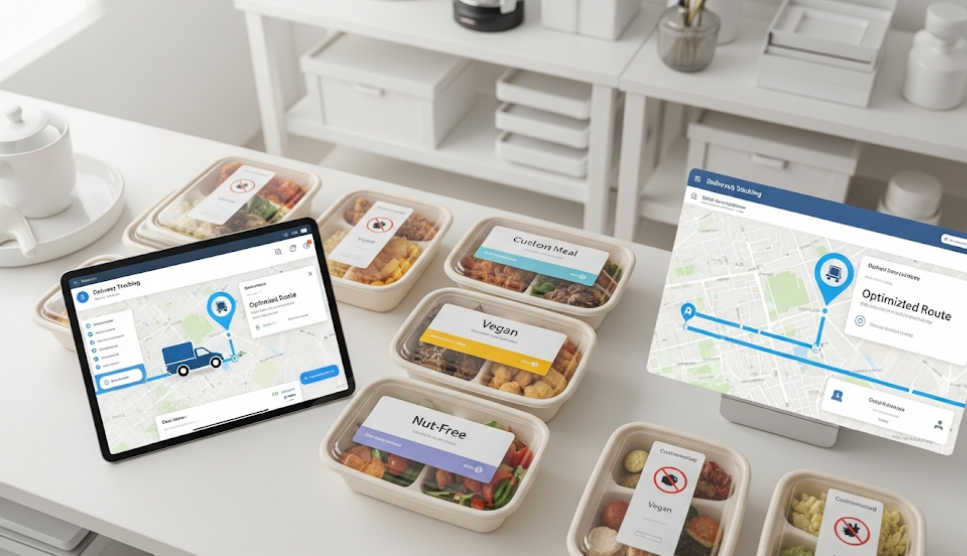
Catering businesses may need to organize packing, pickups, deliveries, and event-specific fulfillment requirements.
Catering Invoicing Software vs. Generic Invoicing Software
Generic invoicing software can be useful for simple billing requirements. But catering businesses often have operational needs that extend beyond invoices.
The right option depends on the complexity of your business. A small caterer may only need straightforward invoicing, while a growing operation may benefit from connecting billing with the rest of its workflow.
How Competitor Platforms Fit
Several software categories can help caterers, but they solve different problems.

HoneyBook
HoneyBook provides tools for proposals, contracts, invoices, payments, scheduling, and client management. It can be useful for caterers primarily focused on improving the customer-facing sales and billing process.
Tripleseat
Tripleseat focuses heavily on hospitality and event management, making it relevant for restaurants, venues, hotels, and catering businesses managing complex events.
Generic Accounting Software
Accounting platforms can be excellent for financial management, but catering businesses may still need separate tools for proposals, kitchen production, employee scheduling, ordering, and fulfillment.
The key question isn't simply which software has the most features. It's whether the platform matches the way your catering business actually operates.
Signs Your Catering Business Has Outgrown Its Current System
You may need more advanced software if:
You create invoices manually.
You copy old invoices for new customers.
Customer changes require updating multiple documents.
Your invoice sometimes doesn't match the approved proposal.
Payment tracking depends on spreadsheets.
Kitchen teams receive event information through email.
Employees use separate systems for schedules and time tracking.
Managers spend too much time on administrative work.
Growing event volume requires additional administrative staff.
These are signs that your business may have outgrown disconnected tools.
How to Choose the Right Catering Business Software
Before choosing a platform, map your entire workflow:
Lead → Proposal → Invoice → Payment → Event → Kitchen → Staff → Fulfillment
Then identify where your team spends the most time.
Ask:
Can the software simplify proposal and invoice management?
Can it support customer payments?
Can it organize catering orders and events?
Can kitchen teams access production information?
Can it help manage employees?
Does it support POS or other ordering channels?
Can it help with fulfillment and delivery?
Can it scale as your business grows?
This approach is more useful than choosing software based on a feature list alone.
Choosing Software That Supports the Whole Catering Business
Sprwt takes a broader food-business approach by combining catering and proposal functionality with other operational capabilities. Its current documentation includes proposals, invoices, payment terms, proposal templates, POS, HR tools, cooking reports, fulfillment reports, labeling, ordering systems, and multi-kitchen capabilities.
Its catering functionality is designed to help businesses create proposals, send invoices, manage events, offer online catering menus, and generate cooking and drop-off reports. Its operational tools also support production and fulfillment workflows.
That broader approach can be valuable for businesses that don't want invoicing to exist as a standalone process.
A catering invoice is only one part of the job. The real goal is to connect what the customer buys with everything your team needs to do to fulfill it.
For catering businesses looking to connect proposals, invoicing, ordering, kitchen operations, workforce management, POS, and fulfillment within a food-business-focused platform, Sprwt can be a strong option to consider.
Ready to simplify your catering operations? Schedule a Sprwt demo and see how the platform fits your workflow.
Frequently Asked Questions
What is catering invoicing software?
Catering invoicing software helps caterers create, send, manage, and track invoices for catering orders and events. Depending on the platform, it may also connect invoices with proposals, payments, customers, and event workflows.
What is catering business software?
Catering business software helps manage broader catering operations, including orders, proposals, invoicing, payments, events, kitchen production, employees, fulfillment, and reporting.
Can catering software manage invoices and payments?
Many catering platforms provide invoicing and payment capabilities. Businesses should evaluate how closely those functions connect with their event and operational workflows.
When should a caterer switch to dedicated software?
Consider dedicated software when manual invoicing, spreadsheets, payment tracking, order changes, or event coordination are consuming too much time or causing errors.
What should I look for in catering software?
Look for software that addresses your complete workflow, including proposals, invoicing, payments, orders, kitchen operations, employees, fulfillment, reporting, and scalability.


Comments
Post a Comment